
C# is a powerful and modern programming language developed by Microsoft. It's widely used for developing desktop applications, web services, and enterprise software. As a beginner, understanding the basic building blocks of C# is essential. In this article, we’ll explore constants and literals, two fundamental concepts in C# programming.
What are Constants in C#?
A constant is a variable whose value cannot be changed once it is assigned. Constants are used to define fixed values that remain the same throughout the execution of a program.
Syntax
const dataType constantName = value;
Example
const double Pi = 3.14159;
const int DaysInWeek = 7;
In the example above:
Piis a constant with a value of 3.14159.DaysInWeekwill always hold the value 7 and cannot be reassigned.
Key Points:
Constants must be initialized at the time of declaration.
- They are implicitly
static. - The value of a constant is evaluated at compile time.
Why Use Constants?
Using constants improves code readability and maintainability. For example, instead of using the number
7 everywhere in your code, using DaysInWeek makes your intent clearer.
What are Literals in C#?
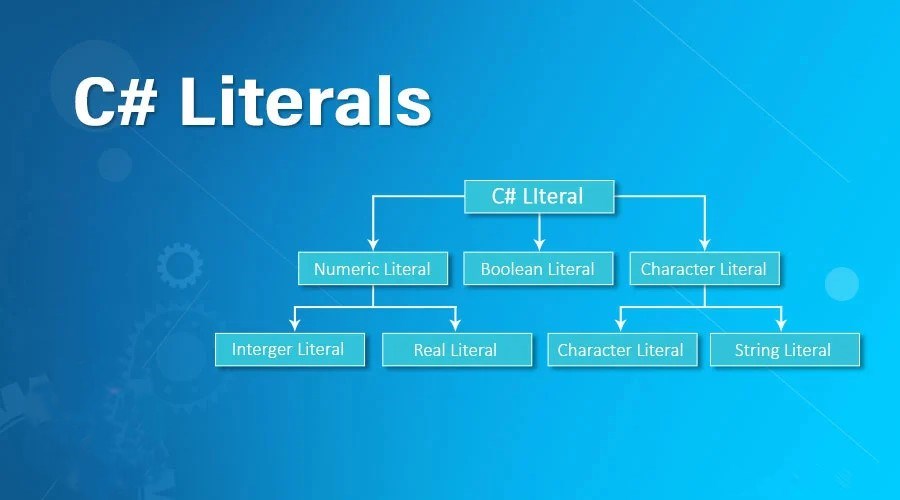
A literal is a fixed value that you assign to a variable or constant directly in your code. C# supports different types of literals depending on the data type.
Types of Literals:
| Literal Type | Example | Description |
|---|---|---|
| Integer Literal | 100, -42, 0 |
Represents whole numbers. Default type is int. |
| Long Literal | 100L, 9999999999L |
Whole numbers suffixed with L for long. |
| Unsigned Literal | 100U, 4294967295U |
Unsigned integers with U suffix (uint). |
| ULong Literal | 100000UL |
Unsigned long with UL suffix. |
| Float Literal | 3.14f, 0.5F |
Decimal numbers with f or F suffix for float. |
| Double Literal | 3.14159, 2.5D |
Decimal numbers (default type is double). Use D suffix optionally. |
| Decimal Literal | 100.25m, 9999.99M |
High-precision decimal values (e.g., money). Use m or M suffix. |
| Character Literal | 'A', '1', '@' |
A single Unicode character enclosed in single quotes. |
| String Literal | "Hello", "123", "" |
Sequence of characters enclosed in double quotes. |
| Verbatim String | @"C:\Path\To\File" |
Ignores escape sequences (starts with @). |
| Boolean Literal | true, false |
Logical values representing truth. |
| Null Literal | null |
Represents the absence of a value (for reference types). |
| Hex Literal | 0x1A3F |
Integer literal in hexadecimal format (prefix 0x). |
| Binary Literal | 0b1010 |
Integer literal in binary format (prefix 0b). |
| Underscore Separator | 1_000_000 |
Improves readability of numeric literals (ignored by compiler). |
| Escape Sequences in Char/String | '\n', "\t", "\\n" |
Special character codes like newline, tab, backslash, etc. |
Tip:
- Literals are fixed values written directly into the source code.
- The compiler uses them to assign values to variables or constants.
- Verbatim strings (
@"") are especially useful when working with file paths or regular expressions.
1. Integer Literals
Used to represent whole numbers.
int age = 25;
2. Floating-Point Literals
Used to represent decimal numbers.
float temperature = 36.6f;
double pi = 3.14159;
Note: A
floatliteral must end withf, whiledoublecan be used directly or withd.
3. Character Literals
Represent a single character enclosed in single quotes.
char grade = 'A';
4. String Literals
A sequence of characters enclosed in double quotes.
string message = "Welcome to C# programming!";
5. Boolean Literals
Only two values: true or false.
bool isCompleted = true;
6. Null Literal
Represents the absence of a value.
string name = null;
Example: Using Constants and Literals
using System;

class Program
{
    const int MaxScore = 100;

    static void Main()
    {
        string studentName = "Alice";
        int studentScore = 85;

        Console.WriteLine("Student: " + studentName);
        Console.WriteLine("Score: " + studentScore + " out of " + MaxScore);
    }
}
Output:
Student: Alice
Score: 85 out of 100


Leave Comment